2026年2月22日 · 阅读约 12 分钟
Emotion Galaxy:三周做出四颗星球
这个 App 把我带到了 WWDC25。它用的全是我从没碰过的框架;而当模型什么都能写的时候,我的工作到底变成了什么
2025年2月,我有三周时间给 Apple 的 Swift Student Challenge 做一个 App。最后做出来的是 Emotion Galaxy:iPad 上的四颗星球,每一颗都是一个照顾心理健康的小练习,一共大约 11,500 行 Swift。它成了 50 位杰出获奖者(Distinguished Winners)之一,我也因此去了库比蒂诺,参加 WWDC25。
这 11,500 行里,没有一行是我写的。写代码的是 Cursor 里的 Claude 3.5 Sonnet:100% 的代码。ARKit、RealityKit、Create ML 我一个都没碰过,三周也不够我把它们真正学会。我转而去做的那些事,后来发现才是真正的工作。
每一行代码都是 AI 写的。我的工作,是知道该让它写什么。
这篇文章讲的就是这份工作:我为什么选这个问题,想法怎样慢慢有了形状,每颗星球是怎么运作的,模型卡住时我怎么跟它沟通,以及我怎样围绕它写申请文书。
为人服务的技术
动手之前,我把往年几届的获奖作品翻了一遍。不是为了找一套能照抄的公式,而是想弄明白:Apple 说它评的是创意和技术成就,到底指的是什么。
我记得的那些作品有一个共同点:它们都是为某个人做的。一个给视障人士用的 App,一个专为某个群体打造的工具。它们用的都是 Apple 刚在 WWDC 上发布的东西,但重点从来不是框架,而是人。这是很 Apple 的想法,我也认同:技术应该隐身在它为你做的事情里。
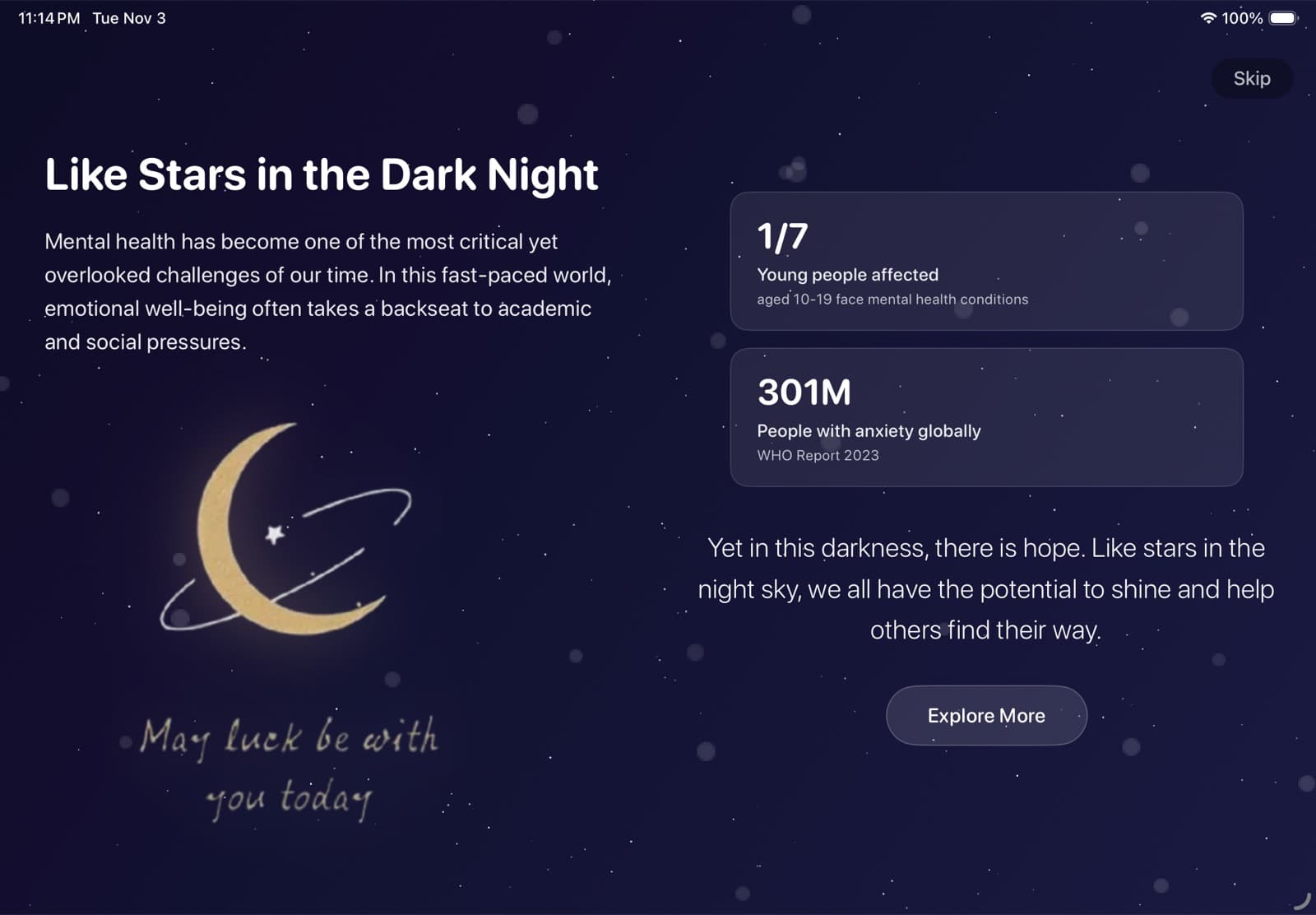
所以我去找一个自己真正在乎的问题,而不是一个写进申请表好看的问题,最后落在了年轻人的心理健康上。这件事离我、离我身边的人都很近,相关的数字也让人很难视而不见。据世卫组织估计,疫情第一年,全球焦虑和抑郁的发生率上升了四分之一。10 到 19 岁的人里,每 7 个就有 1 个受心理健康问题困扰。在让你做任何事之前,App 先给你看的就是这些数字。
找到形状
最早的几个点子,是跟模型聊了很久聊出来的,都还行。心情日记,呼吸计时器,一个会倾听的聊天机器人。每个都只是某个品类里的一个功能,App Store 上早就有一百个同款;没有一个对技术提出了什么新要求,长得也毫无特点。
你找模型要点子,它给你的就是这个:可能性最大的那一个。拿来当默认选项挺好,拿去参赛就太弱了。我一次次让它把几样东西揉到一起,它一次次递回来一个更工整的单一想法。
最后留下来的想法,是我自己换了个角度看这个问题想到的。情绪之所以难以说出口,是因为它没有形状。星球有形状。如果每一种情绪,以及每一种消化它的方式,都是一个你可以去的地方呢?
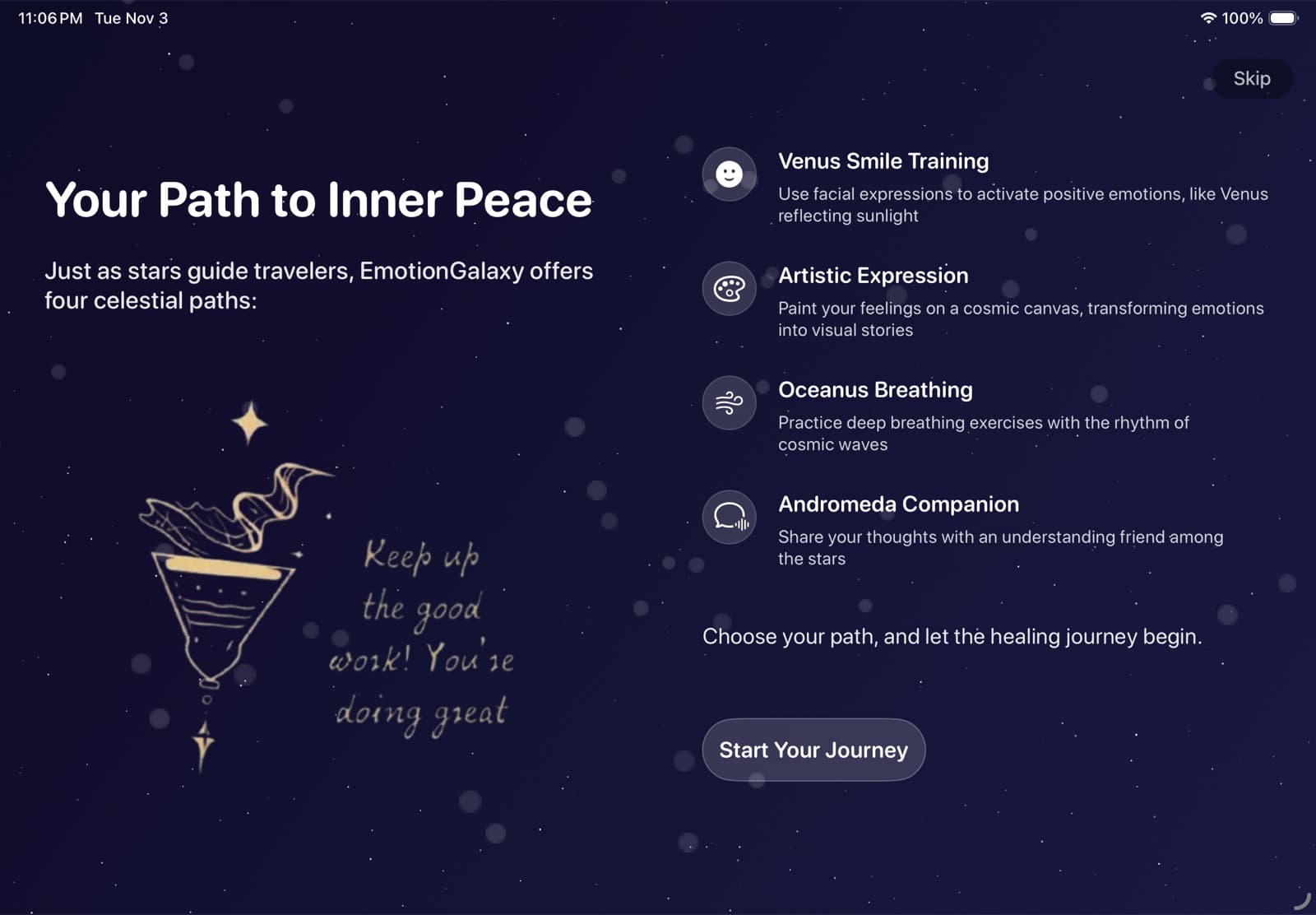
有了这个,其余的一切就都有了着落。每颗星球对应一种心理治疗师真的会用的练习,背后是一个让它成为可能的框架:微笑交给 Vision,画画交给 PencilKit 和 Create ML,呼吸交给 ARKit,一句话交给文本分类器。星球按顺序解锁,于是四个框架不再是一张功能清单,而是同一段旅程的四个章节。然后我带着这个形状回去找模型,一起把方案定了下来:有哪些界面,进度怎么共享,每颗星球需要什么。
在我心里,Emotion Galaxy 与其说是 App,不如说是一个游戏。它有关卡,有进度,有结局。这个定位在暗处帮了很多忙。健康类 App 要你自律,游戏只要你接着玩下去。
星球 01 · 微笑
Venus:笑一笑,然后保持住
- 练习
- 微笑训练。哪怕是刻意挤出来的笑,也能让心情好一点点。
- 技术
- Vision 面部特征点检测,AVFoundation 摄像头
- 难点
- 判断什么算笑,而且要快到每一帧都能跑
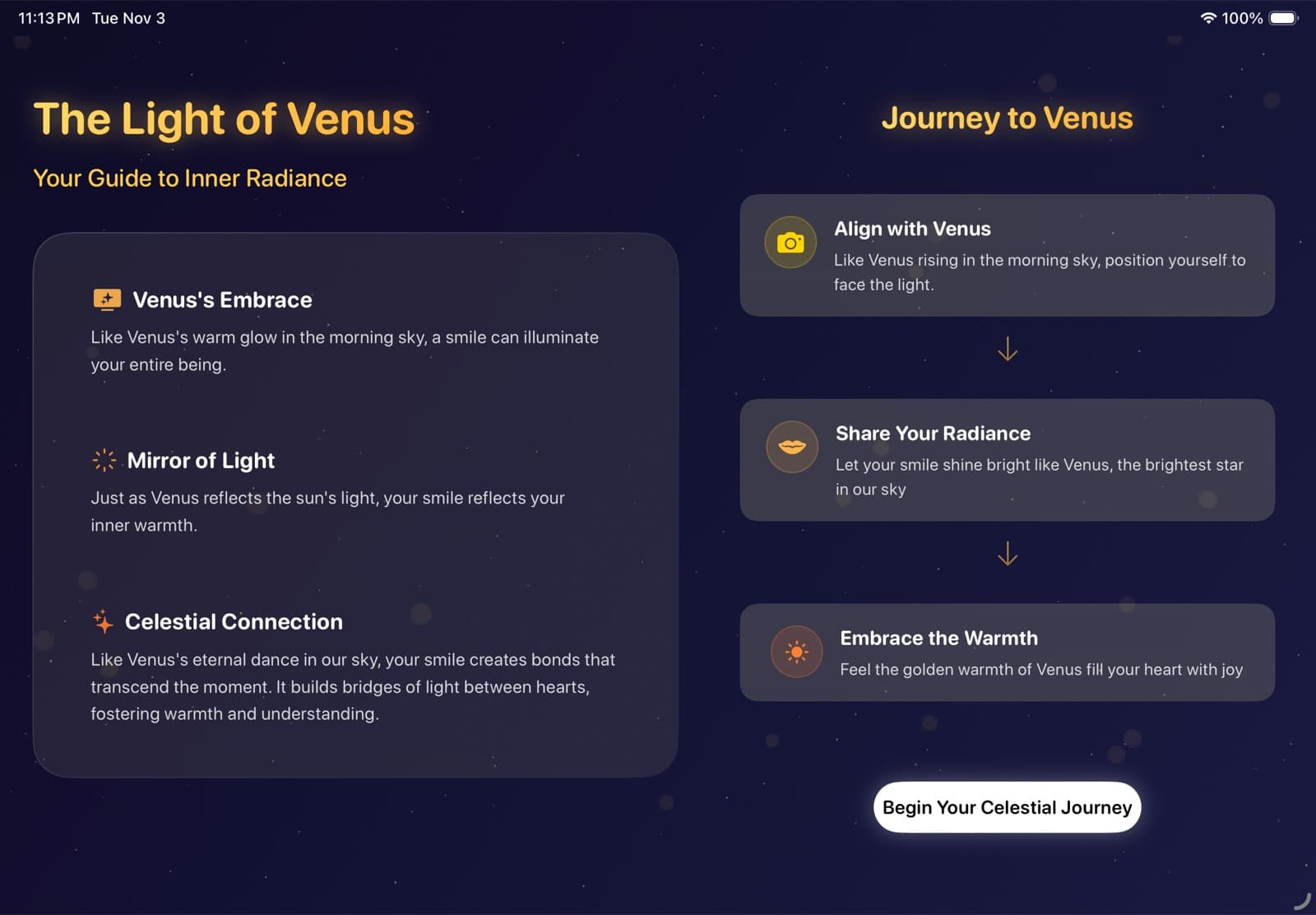
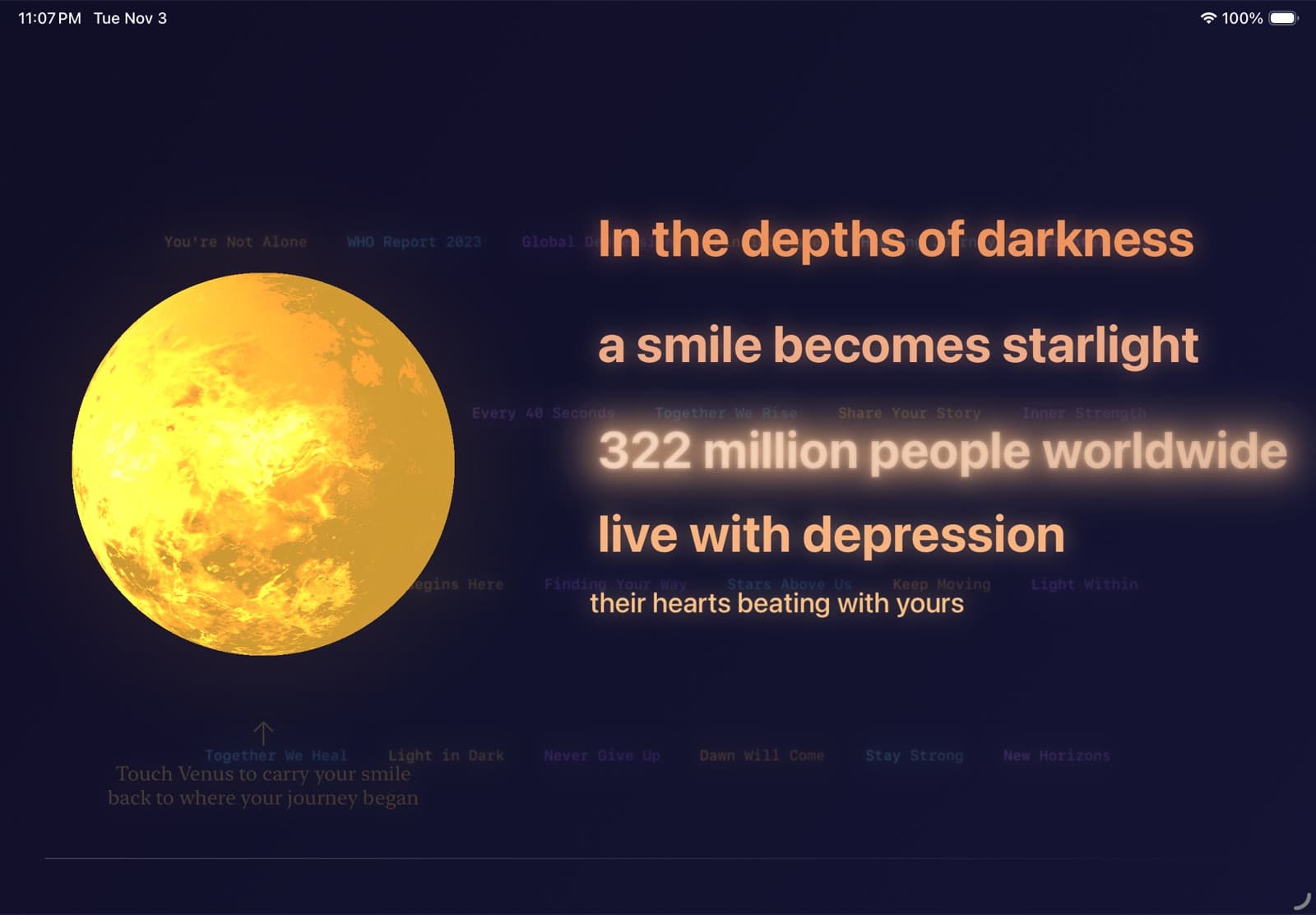
Venus 只要你做一件事:对着摄像头笑,保持两秒。它是最简单的一颗星球,这是故意的。App 对你提的第一个要求,应该很小,还有点傻。
AVFoundation 负责输出摄像头画面,每一帧,Vision 的 VNDetectFaceLandmarksRequest 都会以归一化坐标点的形式,返回你嘴唇的轮廓。这里没有什么微笑模型,整个判断就靠三个数:
// Outer lip points from Vision, normalised to 0...1let leftCorner = mouthPoints[0]let rightCorner = mouthPoints[6]let topCenter = mouthPoints[3]let bottomCenter = mouthPoints[9]let middle = (topCenter.y + bottomCenter.y) / 2let left = abs(leftCorner.y - middle)let right = abs(rightCorner.y - middle)let open = abs(topCenter.y - bottomCenter.y)return (left > 0.2 || right > 0.2) // one corner clearly lifted && (left > 0.1 && right > 0.1) // both corners moving && open > 0.08 // lips parted a little只要条件一直成立,圆环就会慢慢填满,计时器从 2.0 开始倒数;笑容一垮,立刻归零。这条规则很粗糙,但它是即时的。要是圆环比你的脸慢半拍,那一刻的感觉就全毁了。摄像头要等引导页把原因讲清楚才会打开,毕竟没人喜欢摄像头冷不丁亮起来。
星球 02 · 画画
Artistic:画下来,它就成了你的星球
- 练习
- 艺术治疗,借助它常用的四个象征:花、树、河流、星星
- 技术
- PencilKit,我用 Create ML 训练的图像分类器,SceneKit
- 难点
- 训练数据得像随手画的一棵树,而不是一张树的照片
你用 Apple Pencil 画四样东西,一步画一样。每幅画都会送进一个图像分类器,是我在自己的 Mac 上用 Create ML 训练的。训练数据是模型帮不了我的部分。我从 Kaggle 和 GitHub 上收集了几套手绘草图数据集,把树、花、河流和星星分门别类,再拿来训练。最终的模型只有大约 50 KB,因为 Create ML 只是在系统自带的图像特征提取器上,再训练薄薄的一层。
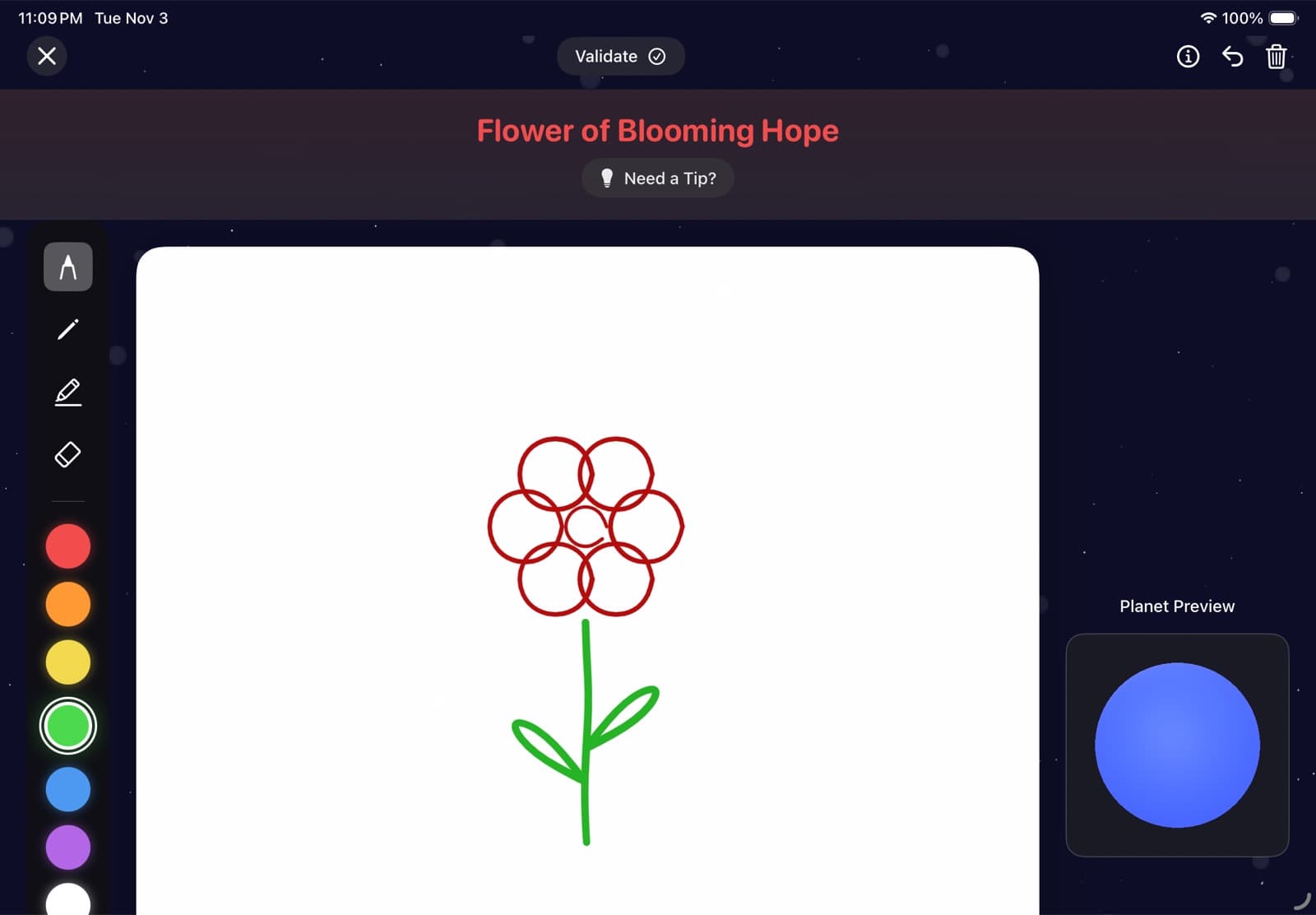
如果模型没认出这是一棵树,App 从来不会说“错了”。它会说类似“也许我们可以加几根树枝,让它更像一棵树”这样的话。在一个关于情绪的 App 里,没通过时弹出的那句话,本身就是练习的一部分。
每一幅通过的画都会变成一张纹理。App 先铺一层蓝色渐变,再按你画的顺序把四幅画叠上去,每幅各用自己的混合模式,最后把结果包到一个 SceneKit 球体上:
// Blue gradient first, then each drawing in the order you made itfor step in 1...4 { guard let texture = processedTextures[step] else { continue } let (_, v) = getStepColorAndVariations(step: step) texture.draw(in: canvas, blendMode: v.blendMode, alpha: v.baseAlpha)}material.diffuse.contents = combinedTexturematerial.emission.contents = combinedTexture // it glows with your drawing到最后,屏幕上转着的那颗星球,就是用你画的东西做成的。这一章标题旁边的小星球也是这么画的:先铺蓝色,再依次叠上红、绿、蓝、黄。
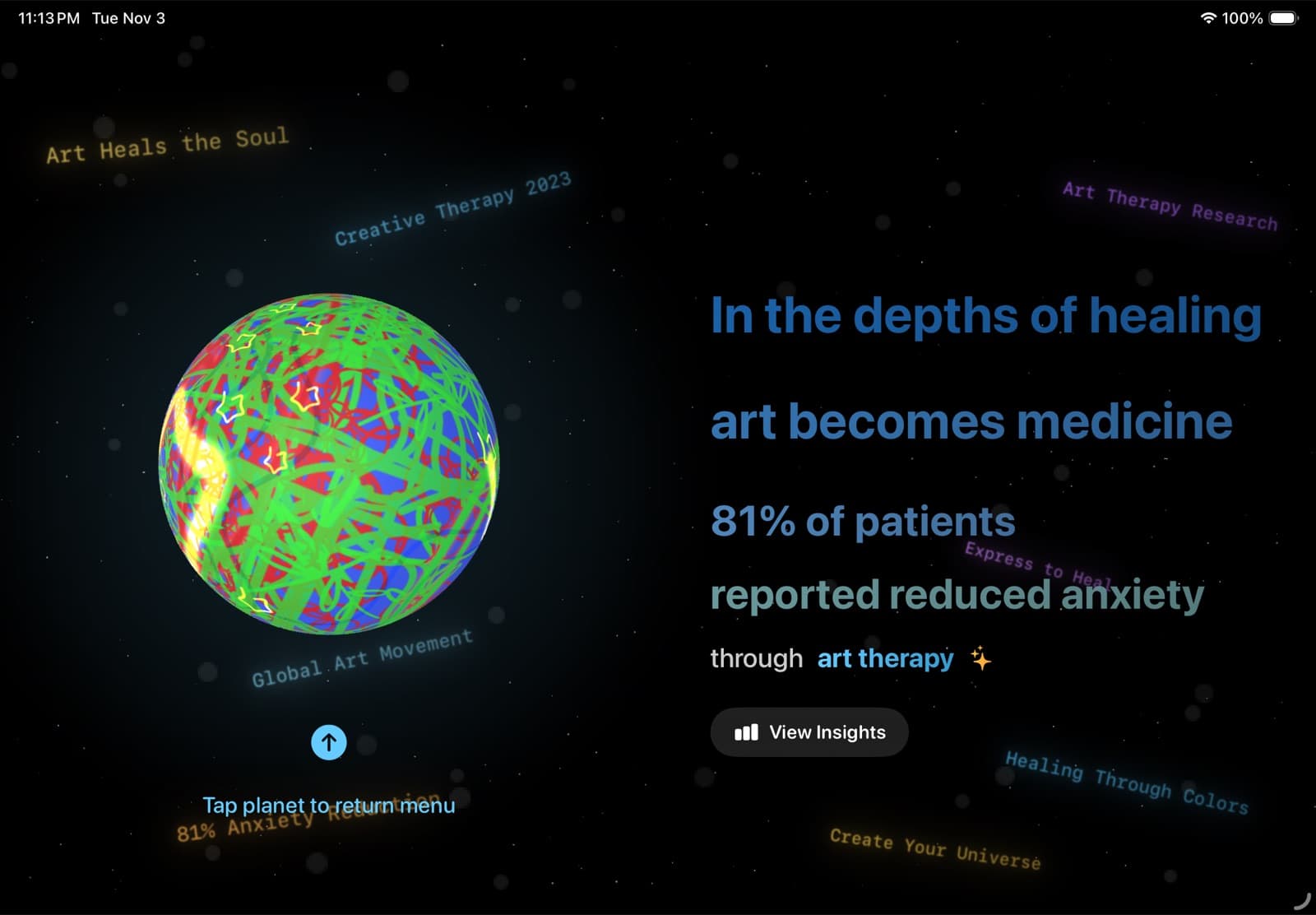
老实交代一件事:分类器还在预热的时候,第一幅画有时会识别失败。我没时间好好修,所以那一步的提示写着:如果这是你第一次尝试,请再点一次 Validate。给评委的备注里,我也写了同样一句话。
星球 03 · 呼吸
Oceanus:和海王星一起呼吸
- 练习
- 节律呼吸:吸气 3 秒,屏息 5 秒,呼气 6 秒
- 技术
- ARKit 平面检测,RealityKit
- 难点
- 全部。我从没写过 AR 代码,模型也好不到哪儿去
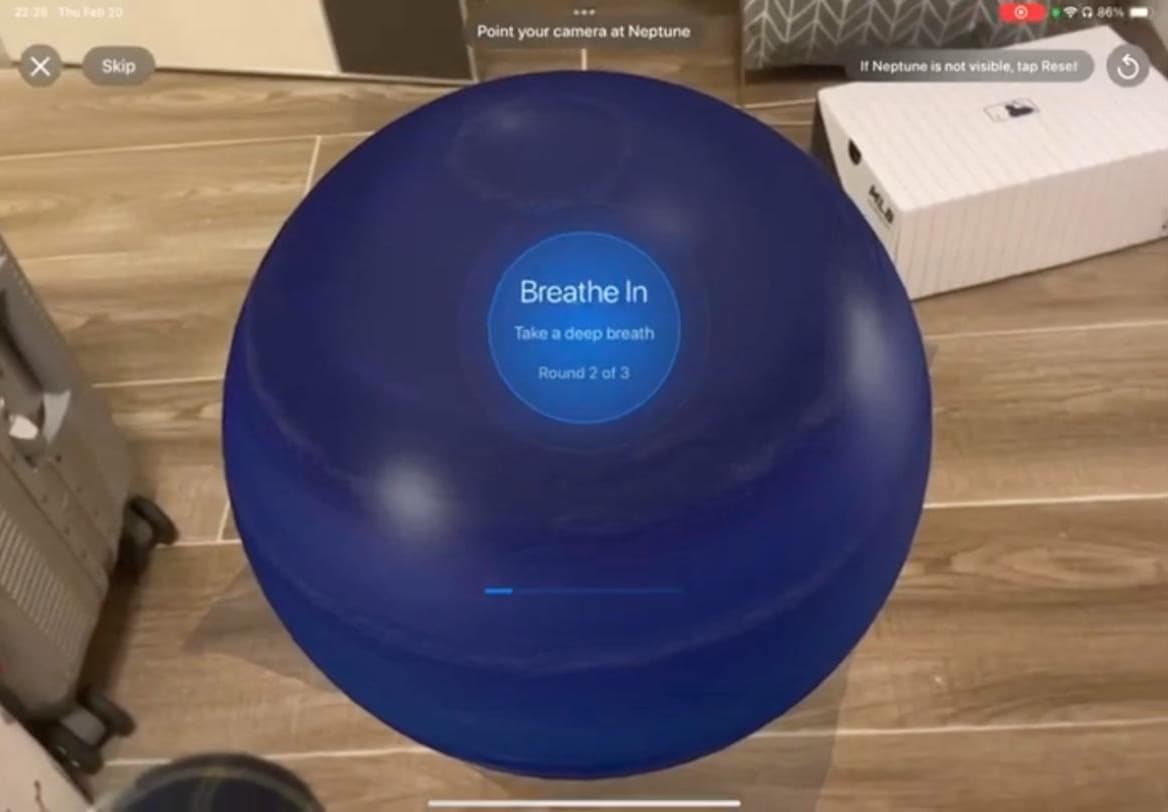
Oceanus 会把海王星和一片海面放进你的房间。你绕着它走,跟着它呼吸:吸气三秒,屏息五秒,呼气六秒。关键在那口长长的呼气,让你平静下来的就是它。
这是四颗星球里最难的一颗,而且难得多。ARKit 会扫描房间里的平整表面,把它们报告为平面,但它看到的房间越多,对地板在哪的判断就越会变。要是把星球放在它报告的第一个平面上,星球其实是坐在一个猜测上。所以 App 会给它追踪的每个平面打分,只把海王星落在够大、水平、而且已经不再变化的平面上:
// Land Neptune only on a floor ARKit has stopped revisingtrackedPlanes .filter { _, info in let size = info.anchor.planeExtent let bigEnough = size.width >= 0.2 && size.height >= 0.2 // 20 cm let level = abs(info.anchor.transform.columns.2.y) > 0.98 let stable = info.stabilityScore >= 0.7 let settled = info.updateCount >= 10 return bigEnough && level && stable && settled } .max { $0.value.stabilityScore < $1.value.stabilityScore }海王星放好之后,RealityKit 会把它锚定在那个平面上方 5 厘米处,同时关掉平面检测,这样它脚下就再也不会有东西挪动。走到这一步花了好几天,后面细说。
星球 04 · 倾诉
Andromeda:说出你的感受
- 练习
- 给情绪起个名字,并提醒自己它们会过去
- 技术
- 我用 Create ML 训练的文本分类器,Core ML,SwiftUI
- 难点
- 从一两句话里分出十种情绪,而且全在 iPad 本地完成
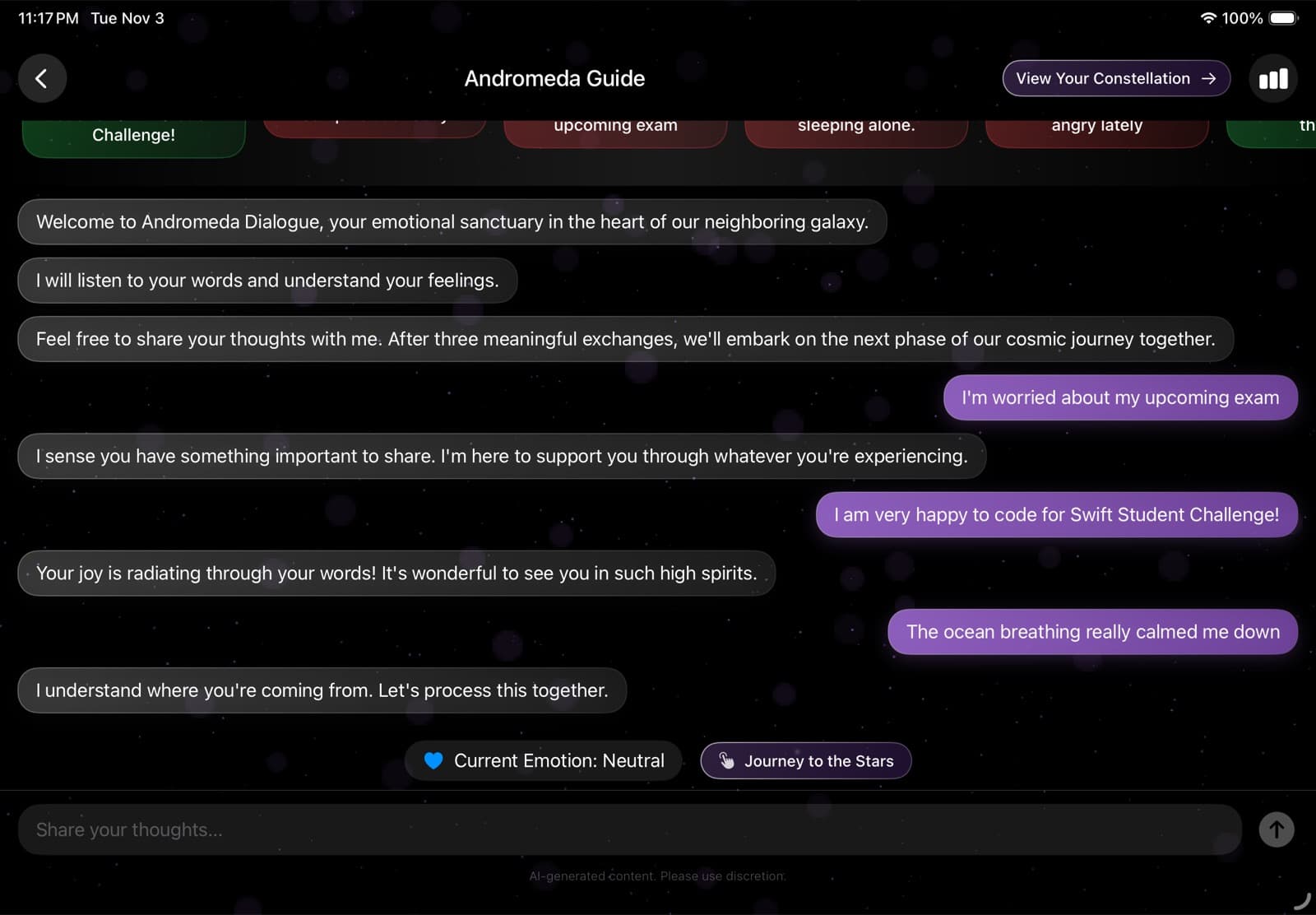
最后一颗星球是一场对话。你写下自己的感受,或者点一条推荐的句子,比如“我很担心快要到的考试”。文本分类器会把它归到十种情绪中的一种。这个分类器是我用 Create ML 训练的,数据是我从网上收集、自己逐条标注的 3,337 句关于情绪的话,十个标签分别是:开心、有希望、自信、中性、困惑、抑郁、焦虑、生气、有压力和孤独。
十个标签拿来告诉你“你说了什么”正合适,但要给每一种都写出好的回复,就太多了,所以 App 把它们归成三类:
// Ten labels from the classifier, three kinds of replyvar category: EmotionCategory { switch self { case .happy, .hopeful, .confident: return .positive case .neutral, .confused: return .neutral case .depression, .anxiety, .anger, .stress, .loneliness: return .negative }}// App playgrounds ship the raw model,// so it is compiled on the iPad the first time it loadslet compiled = try await MLModel.compileModel(at: modelURL)model = try MLModel(contentsOf: compiled, configuration: config)聊满三轮,旅程就继续往前走。所有东西都在 iPad 上运行:没有服务器,没有 API 调用,你输入的任何内容都不会离开设备。比赛本来就要求 App 能离线运行,但对一个问你真实感受的 App 来说,就算没有这条规定,我也会这么选。
一颗星球的结局,和整段旅程的结局
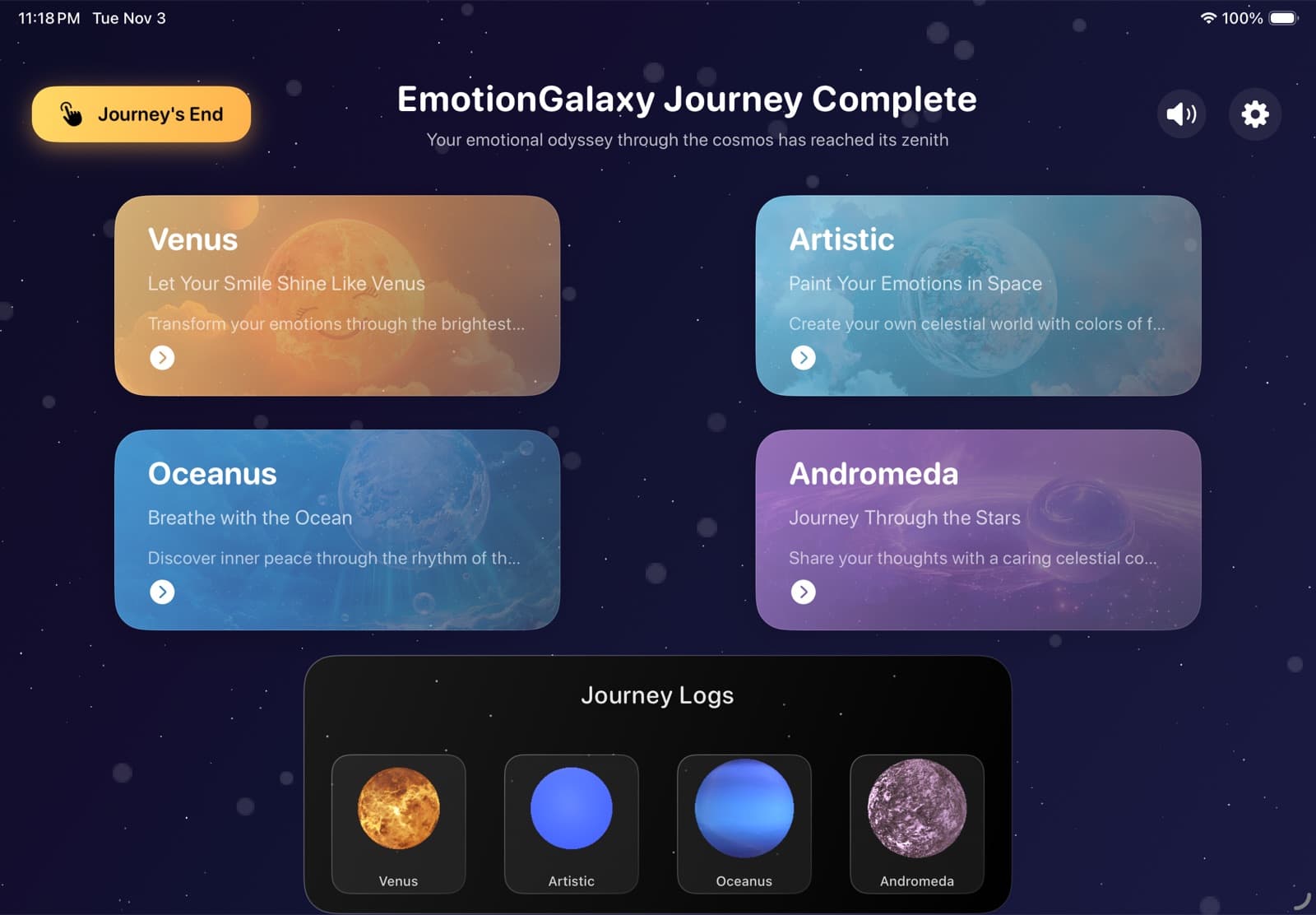
每颗星球的结尾都一样:一个用 SceneKit 做的 3D 版本,裹在粒子里,可以用手指拨着转。然后你回到菜单,下一张卡片解锁,旅程日志又填上一格。这种重复是刻意的:它告诉你,你完成了一件事,也告诉你现在走到了哪儿。
01 Venus
02 Artistic
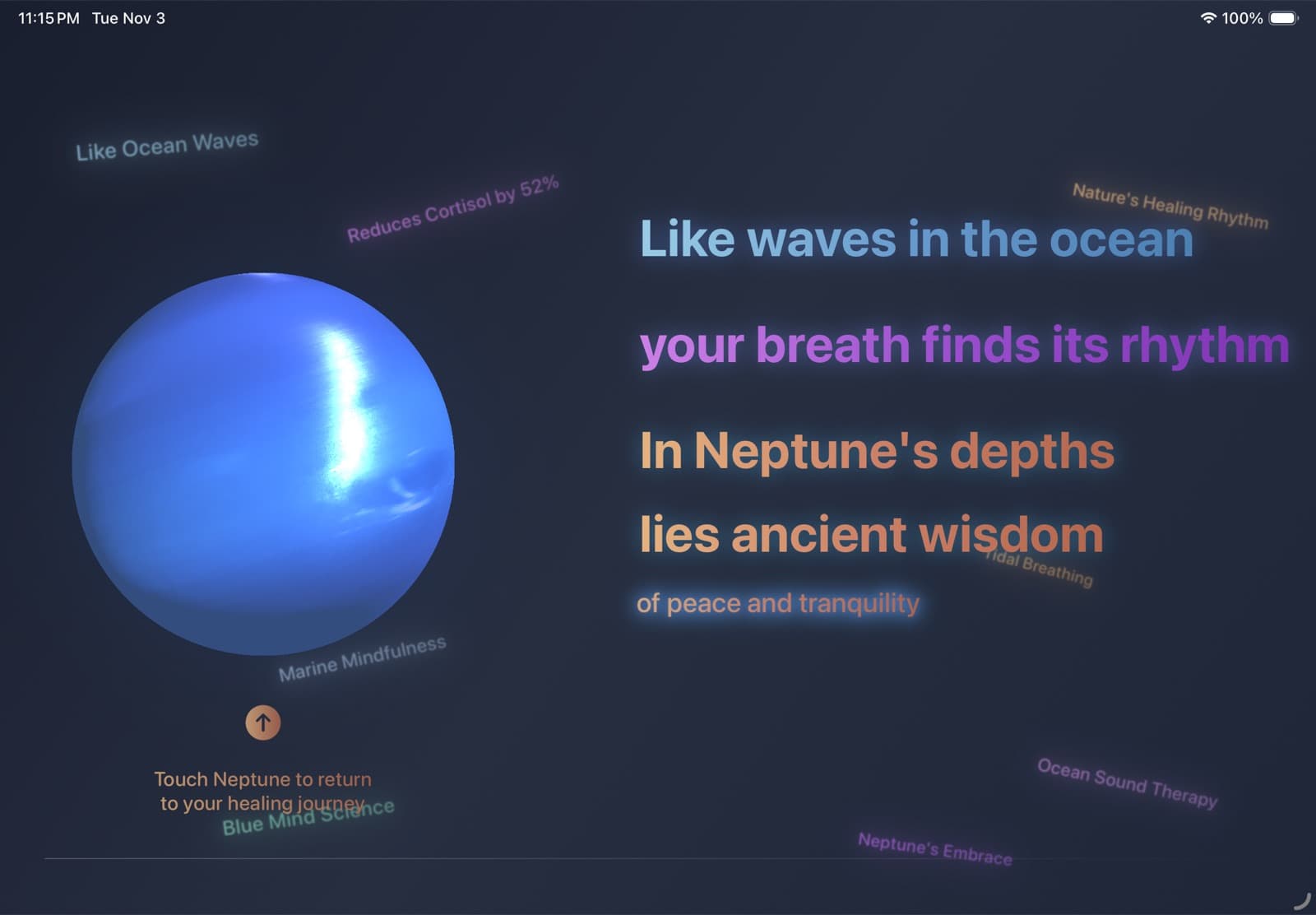
03 Oceanus
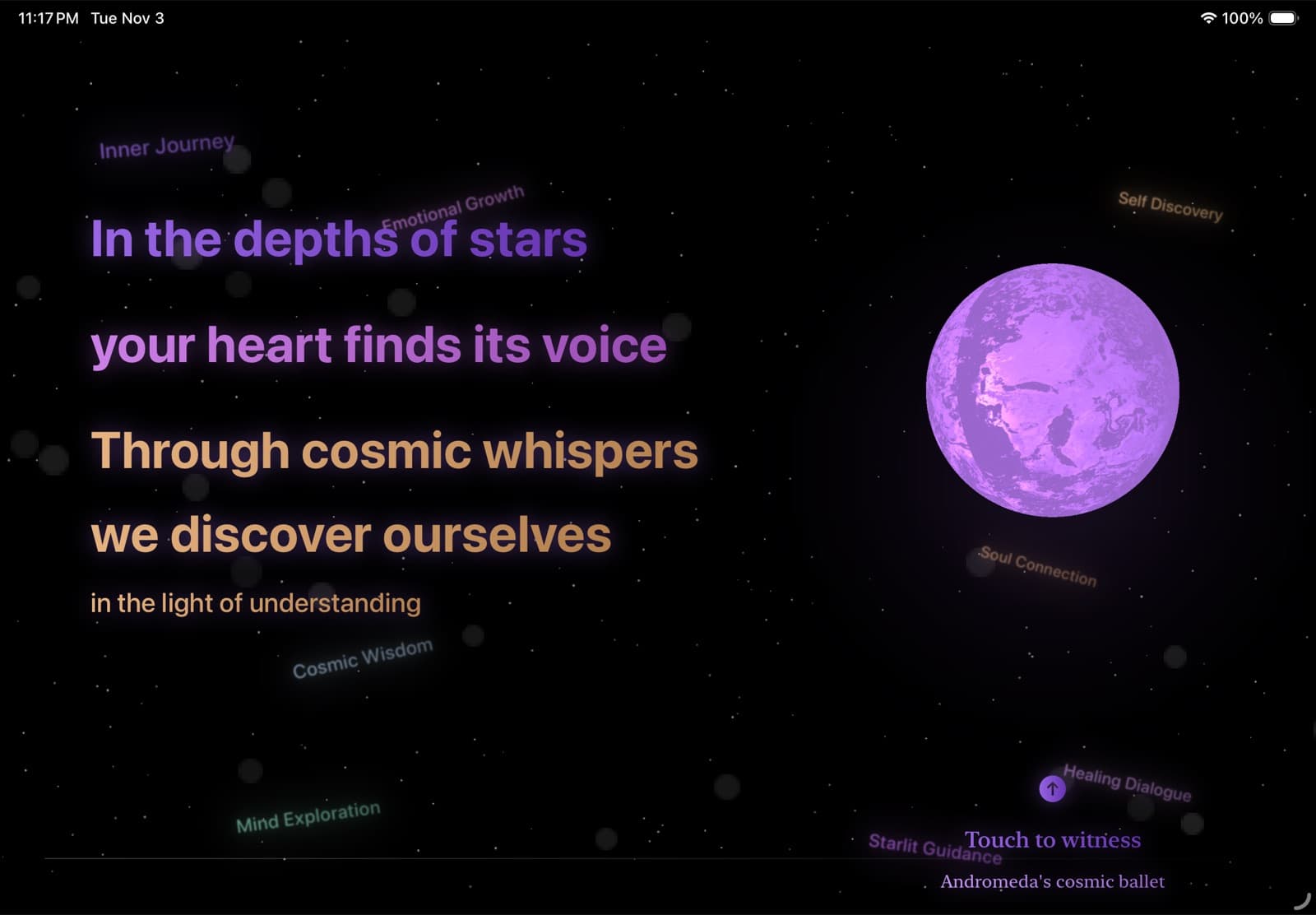
04 Andromeda
Andromeda 之后,App 会像电影结尾那样,缓缓放一段片尾字幕,每颗星球一段诗。我希望最后一屏让人觉得一件事真的完成了,而不是弹出一个写着 Done 的提示框。
我怎样和模型协作
Emotion Galaxy 是在 Cursor 里用 Claude 3.5 Sonnet 写的,就是 2024年10月那一版,大家管它叫 3.6。Claude 3.7 Sonnet 在截止日期的第二天才发布,所以这里没有一样东西是用它做的。美术图来自 Midjourney 和 GPT,星球纹理和音乐来自开放授权的资源。分工大致是这样的:
我做的
- 想法,以及这个游戏的形状
- 星球之间怎么串起来:界面、共享进度、解锁顺序
- 每颗星球应该给人什么感觉
- 为两个分类器收集、标注训练数据
- 模型迷路时,去读 Apple 的文档
- 判断什么时候算够好了
Claude 3.5 Sonnet 做的
- 每一行 Swift
- SwiftUI 布局和动画
- 摄像头、Vision 和 Core ML 的接入代码
- AR 场景的草稿,很多很多版
- 日志,到处都是
见过上千遍的代码,模型写起来非常拿手。一个 SwiftUI 布局、一个摄像头会话、一个 Vision 请求:我描述想要什么,代码就出来了,而且通常能跑。它掉链子的地方,是一切网上资料很少的东西,而 2025年初,iPad 上的 RealityKit 正是这样。做 Oceanus 的时候,它一直给我能编译、然后什么都不做的代码。没有星球,也没有报错。
靠着三个习惯,我才熬了过来,现在我也还是这么干活。
描述画面,而不是代码。“我把 iPad 对着地板时,海王星应该出现在地板上,我绕着走的时候它要待在原地”,这样提要求,比“加一个 anchor entity”好用得多。模型认识很多 API,但它不知道你眼前看到的是什么。
把文档带进对话。模型开始瞎猜的时候,我就自己去读 Apple 的文档,找出要紧的部分,连同我自己的理解一起贴进对话里。这对它回答的影响,比怎么换说法都大。
让一切都看得见。我让模型给每一步都打日志,这样出问题时,控制台会显示它停在了哪里。整个项目有 133 条 print 语句,大约一半以 emoji 开头。下面这几条,来自把海王星放进房间的那段时间:
print("🔄 Setting up Neptune entity...")print("📏 Original model bounds: min=\(bounds.min), max=\(bounds.max)")print("🎯 Initial position: \(modelEntity.position)")print("❌ 模型加载失败: \(error.localizedDescription)")就这样折腾了好几天,才让一颗星球稳稳落在真实的地板上。到现在,这仍是整个 App 里我最骄傲的部分,也是我写代码最少的部分。
写申请文书
代码只是提交内容的一半,另一半是一张表。Apple 把书面回答列为三项评审标准之一,和技术成就、创意并列。我在它身上花的心思,和那颗 AR 星球一样多。有几件事是我刻意这么做的:
一句话介绍,每个分句都要干活。50 个词要说清楚:给谁用(青少年和年轻人),是什么(穿越四个场景的一段旅程),怎么做(微笑、艺术、呼吸、对话),以及为什么(让心理健康照护更容易亲近)。
提到框架,就一定说清它干什么用。在那篇长回答里,每颗星球都按同样的三拍来写:用了什么框架,它在这个 App 里做什么,这对一个人有什么帮助。评委要读很多份申请,重复的结构让我这份一眼就能扫完。而把每个 API 都和一个目的绑在一起,本身就是我的全部论点:技术是为某个人而存在的。
具体,但只具体一次。我只点名了一次 VNDetectFaceLandmarksRequest,表明我清楚底层是怎么回事,然后就回到了大白话。
备注要写给一个独自面对你 App 的人。评委是一个你永远见不到的用户。所以备注里写了该用哪款 iPad、要用 Pencil、音量调到 20%、第一次启动会很慢,还有 Validate 要点两次。这些备注就是新手引导。
表格问什么,就交代什么。它问到了不是你自己做的内容,所以备注里列出了 Midjourney 生成的图片、开放授权的纹理和公有领域的音乐。多写一段,评委就少一个疑问。表格没问编程工具,所以申请里从头到尾没提 AI。在这里留个记录:100% 的代码都是 Claude 3.5 Sonnet 写的。
下面是我当时提交的申请原文。
Q1用一句话介绍你的 App Playground。它想解决什么问题?
49 / 50 词EmotionGalaxy is a therapeutic journey that helps both individuals with emotional disorders and those seeking mental wellness, especially teenagers and young adults, understand and manage their emotional health through four interactive cosmic scenarios: smile training, artistic expression, breathing exercises, and ML emotional chatting, making mental health care more approachable.
展开完整申请,还有五个回答 ↓收起 ↑
Q2你想做出怎样的用户体验?为什么选用这些框架来实现它?
483 / 500 词In EmotionGalaxy, I aimed to create a therapeutic journey that helps both individuals experiencing emotional challenges and those seeking to understand mental health better. The experience is designed to be accessible during moments of emotional instability while helping everyone recognize that mental health concerns are both important and approachable.
The journey begins with powerful statistics about global mental health, setting the context through an intuitive SwiftUI interface. Users then explore four unique cosmic scenarios:
The Venus scene utilizes Vision and AVFoundation frameworks for smile detection through the device camera. I used the Vision framework’s facial landmark detection (VNDetectFaceLandmarksRequest) to analyze mouth curvature changes and determine whether the user is smiling, and AVFoundation for smooth camera handling, creating an engaging experience where users must maintain a smile for two seconds. This interaction is based on psychological research showing that even artificial smiles can positively impact mood.
In the Artistic planet, I implemented PencilKit for natural drawing interactions and CoreML for drawing recognition. PencilKit provides a fluid, pressure-sensitive drawing experience, while a custom-trained CoreML model analyzes users’ drawings of flowers, trees, rivers, and stars—symbols commonly associated with emotional healing in art therapy. Users’ drawings are converted into 2D textures by SpriteKit and mapped onto the surface of their personal planet using SceneKit, creating a meaningful visualization of their emotional journey.
The Oceanus experience leverages ARKit and RealityKit to project Neptune into the user’s space. ARKit is responsible for detecting the user’s physical environment and ensuring correct placement of Neptune, while RealityKit renders the 3D model, integrating it into the real-world space for an immersive experience.These frameworks create an immersive breathing exercise, allowing users to walk around and interact with a 3D Neptune model while synchronizing their breathing with its rhythm—a well-established technique for anxiety relief.
For the Andromeda companion, I used CoreML’s text classification capabilities to analyze users’ emotional journal entries, identifying sentiment categories based on a pre-trained model. Combined with SwiftUI’s fluid animations, this system provides appropriate emotional feedback, helping users recognize that negative emotions are temporary. By analyzing text input, the framework detects emotional states and offers supportive responses, reinforcing the idea that negative emotions are temporary.
Each planet’s CompletionView uses SceneKit for interactive 3D planet visualization, with custom particle systems creating an engaging cosmic atmosphere. This reinforces the journey’s message about mental health awareness through visual storytelling.
For visual assets, I utilized Midjourney AI to generate cosmic imagery that perfectly matched my vision for each planet’s unique atmosphere, ensuring a cohesive and immersive experience throughout the journey.
The journey concludes with a cinematic ending sequence, […] using SwiftUI’s animation to create a moving credits sequence. It encourages users to share their understanding of mental health. For general users, it’s a reminder that mental health challenges are common and deserve attention, while for those facing depression and anxiety, it offers relief, helping them see these struggles are manageable and not to be feared.
Q3介绍一下你自己,以及这个 App Playground 的灵感从何而来。
这一题写的是我自己,不放在这里。
Q4在 Swift Student Challenge 之外,你是怎样用编程能力帮助身边社区的?
With the support of my mental health community, my peers and I raised the funds of Apple Developer Account and launched two apps that I developed.
The first, EmoEase, blends journaling, real-time emotion tracking, and AI to support mental well-being. Users start and end their day by logging their thoughts, tracking emotions with built-in mood options, and engaging with LLM-powered conversations to ease distress. A historical journal and weekly view help them recognize emotional patterns. Though currently localized for China, it has already provided comfort to many.
The second, Bull & Horse Clock, was designed for ADHD users to boost focus by displaying real-time earnings as they work. Unexpectedly, it resonated with a broader audience, becoming a motivational tool for many professionals. It has now reached 1,000+ downloads worldwide.
Both apps come from a place of understanding and empathy—built not just to solve problems, but to help people feel seen and supported. Through coding, I’ve turned personal struggles into solutions, and I hope these apps continue to make a difference in people’s lives.
Q5评委运行你的 App Playground 时,还有什么需要提前知道的吗?
This Swift Playground runs best on an 11-inch iPad, and it is recommended to use this device for the optimal experience. Additionally, using an Apple Pencil is highly recommended, as the experience involves drawing, which is processed by a pre-trained CoreML model.
In the first drawing scene of Artistic Planet (Blooming Hope), users need to tap “Validate” twice to submit their artwork for recognition.
When launching the Swift Playground, please set the volume to 20%. The first time you open it in the swift playground, it takes a long time.
Q6你是否使用了不属于你的内容或资源?
I utilized open-license planetary texture images from copyright-free websites to enhance the celestial textures in my CompletionView and SceneMenuView, which were integrated into SceneKit. Additionally, I incorporated copyright-free music from public domain sources to enhance the immersive realism and therapeutic effect of interstellar travel. All other images were AI-generated and do not involve copyright infringement.
题目是对表单原题的意译。回答都是提交时的英文原文,只在 […] 处删去了一句,另外去掉了两个 App Store 链接和法律声明。
后来
2025年2月22日 · 00:37
提交,比截止日期早两天。
2025年3月27日
获评杰出获奖者,350 位获奖者中的 50 位之一。
2025年4月
在 App Store 上架,仅支持 iPad。
2025年6月
在库比蒂诺参加 WWDC25。
Apple 把杰出获奖者们请到 Apple Park 参加 WWDC。那趟行程值得单独写一篇。
2025年7月
在 Cursor 香港 Meetup 上做了开场演示。
也讲了我怎样在 Xcode 和 Cursor 之间分工。
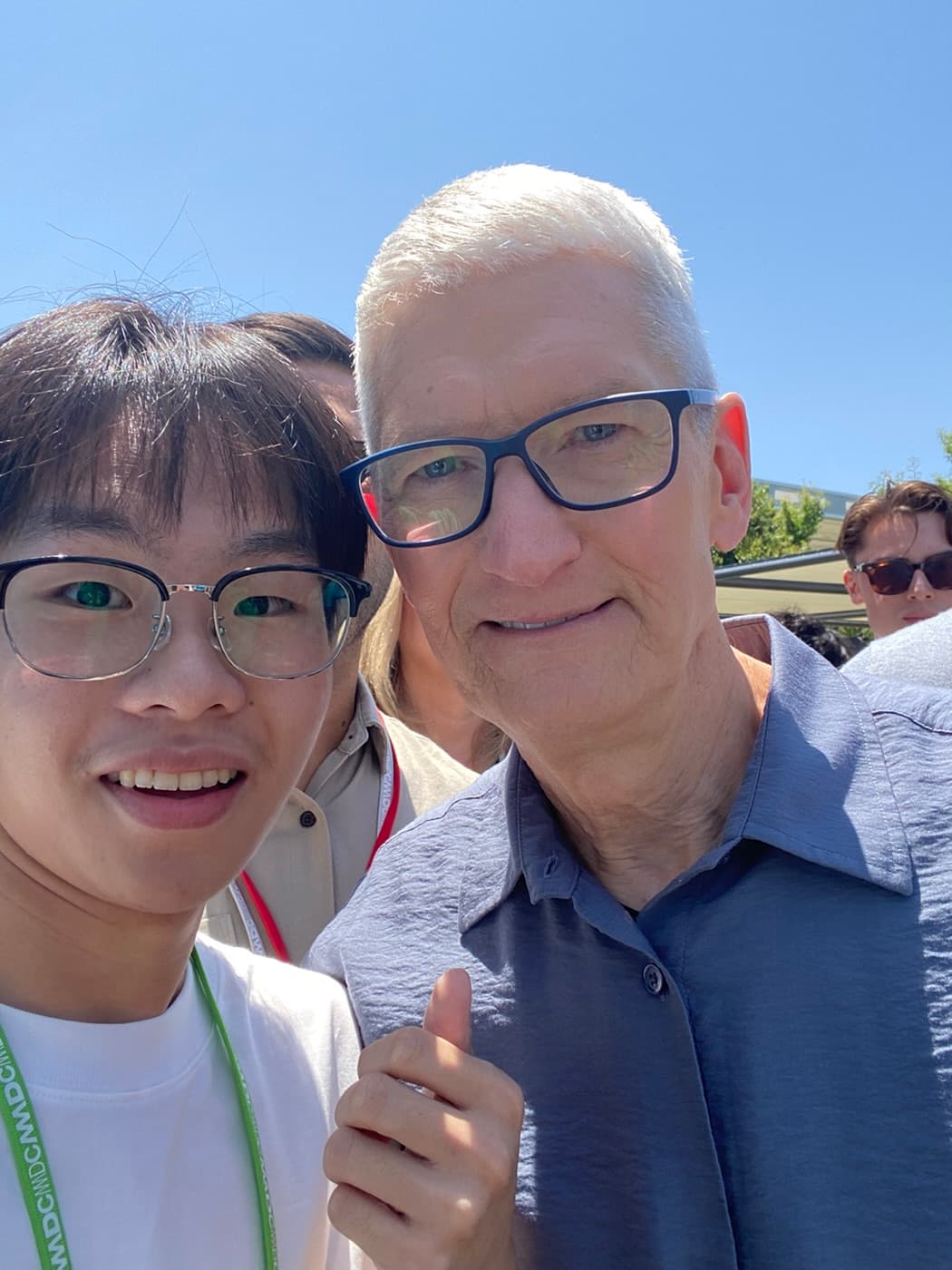
和 Tim Cook
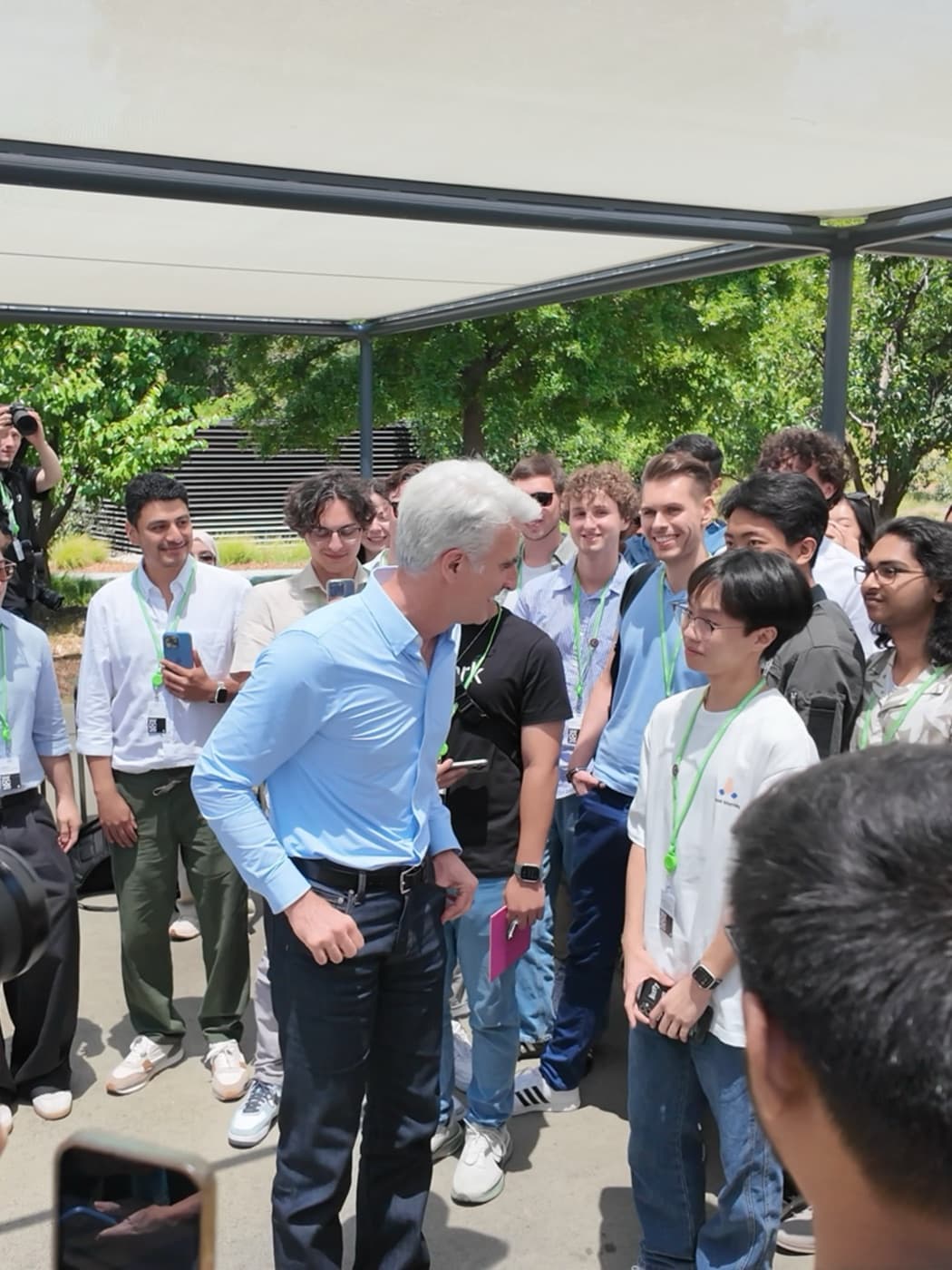
给 Craig Federighi 介绍这个 App
我现在怎么想
Emotion Galaxy 是一个人用 Claude 3.5 Sonnet 在三周里能做出来的东西。换到今天,那颗 AR 星球一个下午就能搞定。变便宜的,是代码。
没有变便宜的,是代码之外的一切:选一个值得解决的问题,把一个模糊的愿望变成一个形状,收集没人收集过的数据,察觉模型什么时候在瞎猜,还有把“这一切为什么重要”讲清楚。这些才是我那三周在做的事。
这件事也改变了我想做的方向。我亲眼看着同一个模型在 SwiftUI 上游刃有余,到了 RealityKit 却一头雾水,于是想知道为什么:它学到了什么,从哪儿学的,这些东西能走多远。我现在转去研究模型本身,做预训练,也做评测、去量一量模型到底能做什么,很大程度上就是因为这个问题。
模型给你的,是最可能的答案。你的工作,是去要那个不太可能的。